
【Goal】When you create maps, you probably do a lot of copy/paste actions. Normally, you can only copy one layer, so some people may find it troublesome. This tutorial will show you how to copy all 3 layers at the same time. Let’s copy/paste the dungeon building from “Sample Map A.”
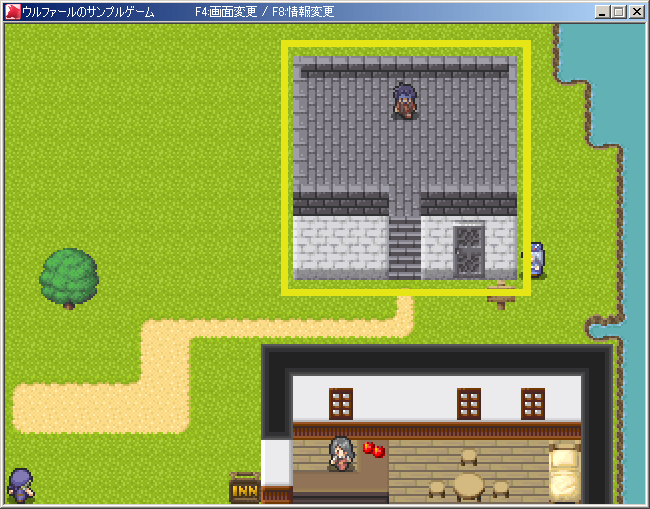
[1] First, open “Sample Map A.”
We will focus on copying the building with the dungeon (the one with “Eddie”).
The roof and walls of this building are drawn on layer 1, the fence and stairs on layer 2, and the door and fence edge on layer 3.
If you try to copy this building normally, you will need to copy/paste it three times which is troublesome and requires manual alignment.
(Remember that you can right-click and drag the cursor to copy a larger area, but this doesn’t work on the event layer.)
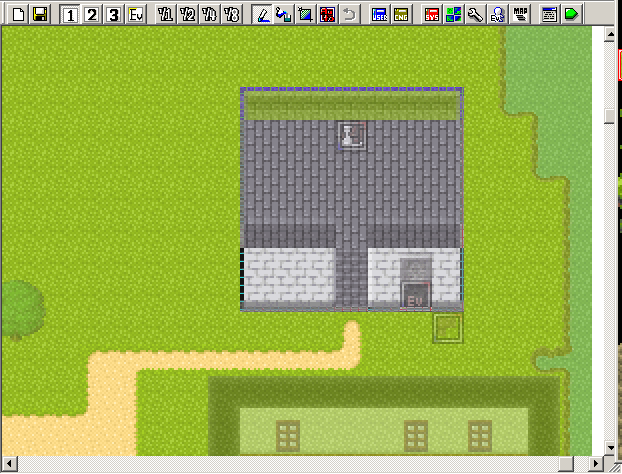
[2] Use the [CTRL] key to copy all layers at once.
If you want to copy everything on layers 1, 2, and 3 at the same time, you will need to hold down the [CTRL] key while right-click and dragging your cursor.
Let’s try to copy the area within the building’s outline without releasing the [CTRL] key midway.
(Do not release the [CTRL] key until the full area has been selected otherwise it will only copy one layer)
[3] Now we can paste everything together.
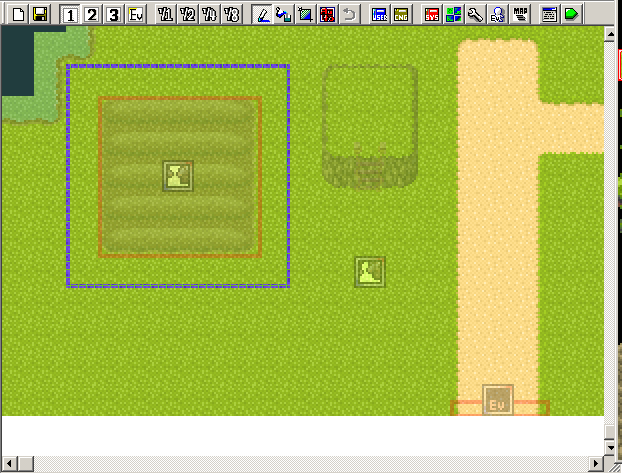
Did you copy the building successfully? If so, you should be able to move a large dotted frame around. Next, we will paste the frame’s copied data.
For this tutorial, we will paste the building over field around the “My Field Guy” event.
Move the cursor over to the position (field) shown in the picture on the right.
When pasting, hold down the [CTRL] key and left-click where you want to paste.
[4] Time for the results~
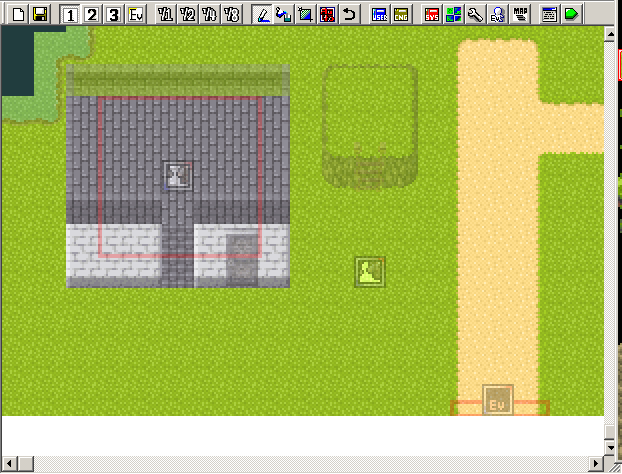
How did it go?
The building, including the frame and doors, should be perfectly pasted on the field or wherever you chose to paste it.
This position will be kept unless you decide to right-click elsewhere
Feel free to paste it anywhere and everywhere.
[Secret Note]
I know I’ve mentioned this in step [1], but the map layers and the event layer are completely different.
Copied data (map chips) from map layers can only be pasted onto the map layers; copied data (events) from the event layer can only be pasted onto the event layer.
It is impossible to paste an event on a regular map layer and vice versa. Also, you can’t select a large area in the event layer to copy, well, not with a touchpad at least.
 tereSPITE